

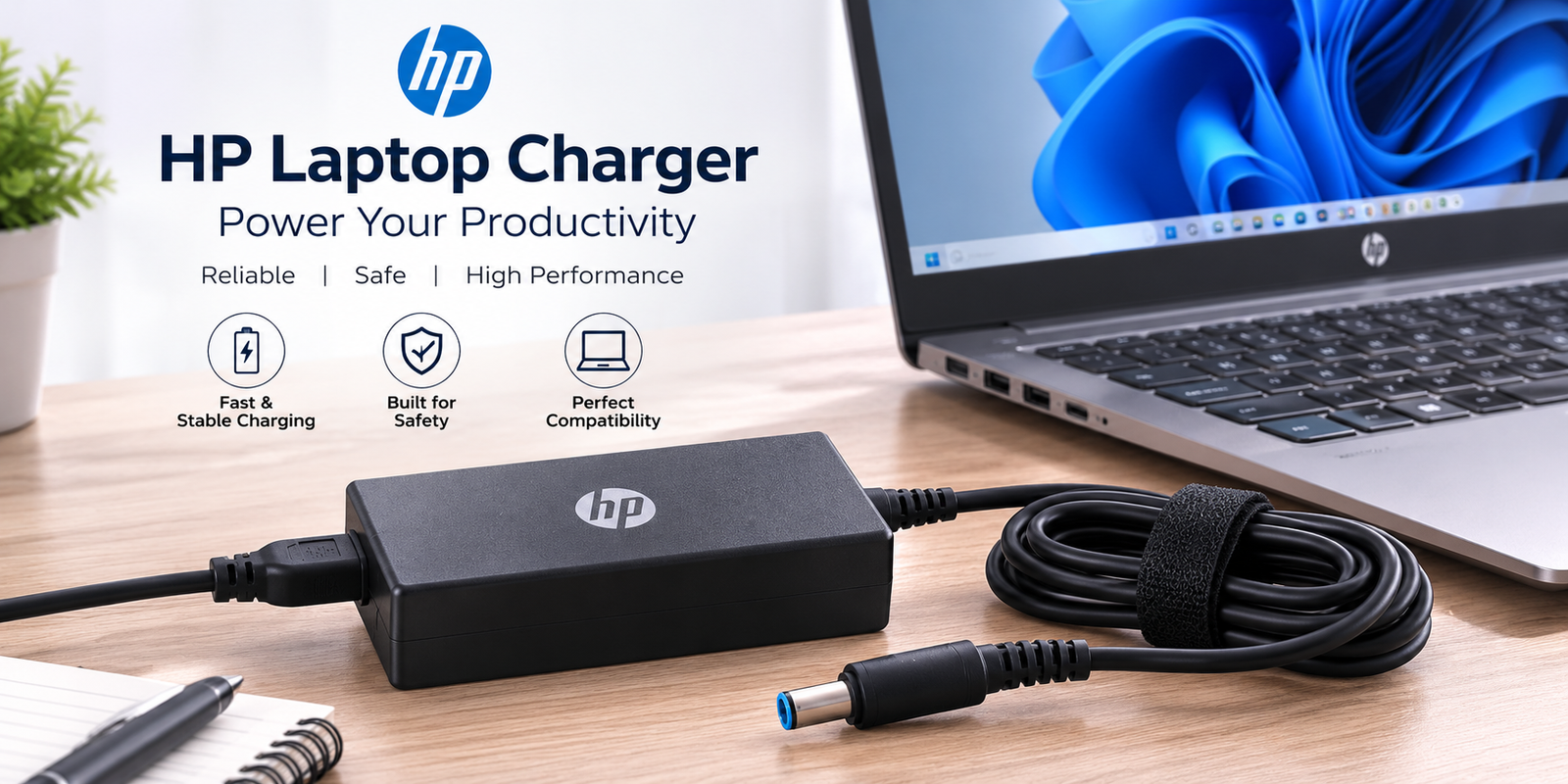
A reliable HP laptop charger is just as important as the laptop itself. Whether you’ve lost your original adapter, need a replacement, or want to upgrade to a USB-C charger, choosing the correct charger ensures safe charging, optimal performance, and a longer battery lifespan. Using the wrong charger can lead to slow charging, overheating, or even permanent damage to your laptop’s battery and power circuitry.
With several HP laptop series available—including Pavilion, Envy, Spectre, EliteBook, ProBook, Victus, OMEN, and ZBook—it’s important to understand charger compatibility before making a purchase. Factors such as voltage, wattage, connector type, and charging technology all play a role in selecting the right adapter.
In this guide, you’ll learn how HP Laptop Charger Original adapters compare with third-party alternatives, understand HP laptop charger voltage output, explore HP Laptop Charger USB-C options, and discover how to choose the best HP Laptop Charger replacement for your device.
What Is an HP Laptop Charger?
An HP laptop charger is an AC power adapter that converts electricity from a wall outlet into the low-voltage DC power required by your laptop. It powers the system while charging the internal battery, allowing uninterrupted work whether you’re at home, in the office, or traveling.
Most HP chargers consist of three main components:
- The power adapter (power brick)
- The charging cable
- The connector that plugs into your laptop
Modern HP laptops may use either a traditional barrel connector, HP Smart Pin connector, or a USB-C connector depending on the model.
Why Choosing the Right Charger Matters
Selecting the correct charger isn’t just about fitting the connector into the charging port. The adapter must also match your laptop’s voltage and provide sufficient wattage. A compatible charger helps:
- Protect battery health
- Prevent overheating
- Maintain charging speed
- Improve laptop longevity
- Reduce electrical risks
For example, an HP Pavilion laptop commonly uses a HP Laptop Charger 65W original, while some compact models may only require a HP Laptop Charger 45W original.
Understanding HP Laptop Charger Components
Power Adapter
The power adapter is responsible for converting alternating current (AC) from the electrical outlet into direct current (DC) that your laptop can safely use. High-quality adapters include built-in protection against over-voltage, over-current, and overheating.
Charging Cable
The charging cable connects the adapter to your laptop. Since cables experience frequent bending and movement, they are often the first component to wear out. Inspect your cable regularly for cracks, exposed wires, or damaged insulation.
Connector Types
HP has used several connector designs over the years.
Barrel Connector
Older HP laptops typically feature a round barrel connector available in different sizes.
Smart Pin Connector
Many business-class HP laptops use the Smart Pin connector, which contains a small center pin for improved communication between the charger and laptop.
USB-C Connector
Many recent HP models support HP Laptop Charger USB-C, offering faster charging, universal compatibility, and greater convenience. USB-C Power Delivery (PD) technology allows a single charger to power multiple compatible devices.
Types of HP Laptop Chargers
Different HP laptops require different charger styles depending on their hardware and power requirements.
Barrel Chargers
Barrel chargers remain common for older HP laptops. They’re reliable and available in multiple wattages, making them a practical choice for replacement adapters.
Best suited for:
- Older Pavilion laptops
- Entry-level notebooks
- Legacy HP devices
Smart Pin Chargers
Smart Pin adapters are designed for many HP business laptops. The center pin allows the laptop to recognize compatible chargers and optimize charging performance.
Ideal for:
- EliteBook
- ProBook
- Select workstation models
USB-C Chargers
The popularity of Hp laptop charger blog usb c topics continues to grow as more HP laptops adopt USB-C charging. USB-C chargers support Power Delivery, enabling faster charging and compatibility with many modern laptops, tablets, and accessories.
Advantages include:
- Reversible connector
- Faster charging
- Universal compatibility
- Reduced cable clutter
- Easier travel
HP Charger Comparison
| Charger Type | Connector | Typical Wattage | Best For |
| Barrel | Round Tip | 45W–90W | Older HP laptops |
| Smart Pin | Blue Tip | 65W–150W | Business laptops |
| USB-C PD | USB-C | 45W–100W+ | Modern HP laptops |
HP Laptop Charger Compatibility Guide
One of the most common questions buyers ask is whether all HP chargers are interchangeable. The answer is no. Every laptop has specific power requirements.
Checking the HP laptop charger compatibility list before purchasing helps ensure your replacement charger delivers the correct voltage, wattage, and connector type.
HP Pavilion
HP Pavilion laptops are designed for everyday computing and commonly use 45W or 65W chargers. Many recent Pavilion models also support USB-C charging.
HP Envy
The Envy series emphasizes portability and performance. Most newer models work well with HP Laptop Charger USB-C adapters supporting USB Power Delivery.
HP Spectre
Premium Spectre laptops often rely on USB-C charging with fast-charging capabilities. Many support both charging ports, depending on the generation.
HP EliteBook
EliteBook laptops are business-focused systems that frequently use Smart Pin chargers or USB-C adapters, depending on the model year.
HP ProBook
ProBook laptops generally require reliable 65W Smart Pin chargers, although newer devices increasingly support USB-C charging.
HP OMEN
Gaming laptops such as the OMEN series require significantly more power than standard notebooks. These systems often need adapters ranging from 150W to 330W for peak gaming performance.
HP Victus
Victus gaming laptops also require high-wattage chargers to support dedicated graphics cards and demanding workloads.
HP ZBook
Professional workstations such as ZBook models use powerful adapters designed for intensive engineering, design, and creative applications.
How to Choose the Right HP Laptop Charger
Choosing the right charger doesn’t have to be difficult if you follow a few simple steps.
Check Your Laptop Model
Start by locating your laptop’s model number. You can usually find it on the bottom label or within your system information. Matching the exact model greatly improves compatibility.
Match the Voltage
The HP Laptop charger voltage output should match the voltage specified on your original charger. Voltage mismatches can affect charging performance and may damage internal components.
Choose the Correct Wattage
While the voltage should match exactly, selecting the same or a slightly higher wattage is generally acceptable. Your laptop will draw only the power it needs.
For example:
- Lightweight notebooks often use HP Laptop Charger 45W original adapters.
- Everyday laptops commonly use HP Laptop Charger 65W original chargers.
- Gaming laptops require much higher wattage adapters for stable performance.
Verify the Connector
Even if the voltage and wattage are correct, the connector must also match your laptop’s charging port. HP has used multiple barrel connector sizes in addition to Smart Pin and USB-C designs.
Consider Future Flexibility
If your laptop supports USB-C Power Delivery, choosing a high-quality HP Laptop Charger USB-C adapter can provide greater convenience. Many USB-C chargers can also power compatible smartphones, tablets, and accessories, reducing the number of chargers you need while traveling..
HP Laptop Charger Wattage Explained
Understanding charger wattage helps you choose a safe and efficient adapter. Wattage represents the maximum amount of power a charger can deliver. While your laptop only draws the power it needs, using a charger with insufficient wattage may result in slow charging or reduced performance.
| Wattage | Best For | Common Usage |
| 45W | Compact HP laptops | Everyday browsing, office work |
| 65W | Most HP laptops | Pavilion, Envy, ProBook |
| 90W | Business laptops | EliteBook, larger notebooks |
| 120W | Performance laptops | Multimedia and creative work |
| 150W | Gaming laptops | HP Victus |
| 200W–330W | High-performance systems | HP OMEN and ZBook |
For most users, a HP Laptop Charger 65W original offers the best balance of charging speed and compatibility, while lightweight devices may only require a HP Laptop Charger 45W original.
Original vs OEM vs Third-Party Chargers
When shopping for an adapter, you’ll encounter original HP chargers, OEM replacements, and third-party alternatives. Each has its own advantages.
| Feature | HP Original | OEM | Third-Party |
| Quality | Excellent | Very Good | Varies |
| Safety Features | Excellent | High | Depends on brand |
| Warranty | Yes | Usually | Varies |
| Price | Highest | Moderate | Lowest |
| Reliability | Excellent | High | Varies |
An HP Laptop Charger Original is designed specifically for HP laptops and undergoes extensive quality testing. OEM chargers are often manufactured to similar standards, while reputable third-party chargers can provide good value if they meet the correct electrical specifications.
USB-C vs Traditional HP Chargers
Many newer HP laptops support USB-C charging, making it easier to use a single charger for multiple devices.
| Feature | USB-C Charger | Barrel Charger |
| Universal Compatibility | Yes | No |
| Fast Charging | Yes | Limited |
| Reversible Connector | Yes | No |
| Travel Friendly | Excellent | Good |
| Older Laptop Support | Limited | Excellent |
Choosing an HP Laptop Charger USB-C is an excellent option if your laptop supports USB Power Delivery. It reduces cable clutter and offers greater flexibility when traveling.
Common HP Laptop Charger Problems
Even high-quality chargers can develop issues over time. Identifying the problem early can prevent damage to your laptop.
Charger Plugged In but Not Charging
Possible causes include:
- Faulty charging cable
- Battery health issues
- Loose charging port
- Outdated BIOS or drivers
- Damaged power adapter
Restart the laptop, inspect the cable, and test the charger with another compatible device if possible.
Slow Charging
Slow charging often occurs because:
- The charger wattage is too low.
- Too many applications are consuming power.
- Battery optimization settings are active.
- The charger or laptop is overheating.
Using the recommended charger wattage improves charging efficiency.
Overheating Adapter
A warm charger is normal during operation. However, excessive heat may indicate:
- Poor ventilation
- Internal component failure
- Damaged cable
- Low-quality replacement charger
Always place the adapter on a hard, well-ventilated surface during use.
Loose Connector
A loose connector can interrupt charging and may damage the charging port over time. If the connector no longer fits securely, replacing the charger is usually the safest solution.
Signs You Need an HP Laptop Charger Replacement
Replacing a failing charger before it stops working completely helps protect your laptop.
Common warning signs include:
- Frayed or exposed cables
- Bent connector pins
- Burn marks or unusual odors
- Intermittent charging
- Frequent overheating
- Power indicator not lighting up
- Cracking sounds inside the adapter
If you notice any of these issues, it’s time to purchase an HP Laptop Charger replacement.
Tips to Extend Your Charger’s Lifespan
Proper care can significantly increase the life of your charger.
- Avoid wrapping the cable tightly around the adapter.
- Disconnect by holding the plug instead of pulling the cable.
- Keep the adapter away from liquids.
- Store the charger in a cool, dry place.
- Clean the connector regularly.
- Use surge protection whenever possible.
- Avoid placing heavy objects on the charging cable.
These simple habits reduce wear and improve long-term reliability.
HP Laptop Charger Safety Tips
Safety should always come first when using any laptop charger.
Follow these best practices:
- Match the voltage exactly.
- Use the recommended wattage or higher if approved.
- Purchase certified chargers from trusted sellers.
- Replace damaged cables immediately.
- Avoid counterfeit adapters.
- Keep ventilation openings clear while charging.
A quality charger not only protects your laptop but also helps maintain battery performance over time.
Best HP Laptop Chargers by User Type
Students
Students benefit from lightweight 45W or 65W chargers that are easy to carry between classes and home.
Office Professionals
Business users should prioritize reliable Smart Pin or USB-C chargers with consistent performance for daily productivity.
Travelers
A compact HP Laptop Charger USB-C is ideal for travel because it can often charge multiple compatible devices with a single adapter.
Content Creators
Designers and video editors using high-performance laptops should choose adapters with sufficient wattage to support demanding workloads.
Gamers
Gaming laptops such as HP OMEN and Victus require high-wattage adapters to deliver maximum performance during intensive gaming sessions.
Conclusion
Choosing the right HP laptop charger is essential for keeping your laptop running safely and efficiently. Whether you need a HP Laptop Charger replacement, want to upgrade to an HP Laptop Charger USB-C, or are deciding between a HP Laptop Charger 45W original and a HP Laptop Charger 65W original, understanding compatibility, voltage output, connector type, and wattage will help you make the right decision.
Before purchasing, always verify your laptop model, confirm the HP Laptop charger voltage output, and choose a charger that meets the manufacturer’s specifications. Investing in a high-quality charger protects your battery, improves charging performance, and extends the life of your laptop.
Frequently Asked Questions
1. Can I use a higher wattage HP laptop charger?
Yes. Using a charger with a higher wattage is generally safe as long as the voltage and connector are compatible. Your laptop will only draw the amount of power it requires.
2. Are all HP laptop chargers compatible?
No. HP laptops use different connector types, voltages, and wattage requirements. Always verify compatibility before purchasing.
3. Can I charge my HP laptop using USB-C?
Many modern HP laptops support USB-C Power Delivery, but not all models do. Check your laptop specifications before using a USB-C charger.
4. How do I know which HP charger I need?
Check your laptop model number and compare it with the original adapter’s voltage, wattage, and connector type. Reviewing an HP laptop charger compatibility list can also help.
5. Is an original HP charger better than a third-party charger?
An HP Laptop Charger Original offers the highest level of compatibility and quality assurance. However, reputable OEM and certified third-party chargers can also provide reliable performance.
6. What happens if I use the wrong charger?
Using the wrong charger may result in slow charging, battery damage, overheating, or failure to charge altogether. Always match the required specifications.
You May Also Read: application mobile dualmedia