
An HDMI cable is one of the most important accessories for connecting modern electronic devices. Whether you want to enjoy movies on a large television, connect a gaming console, extend your laptop display, or create a home theater system, the right HDMI cable ensures high-quality audio and video transmission through a single connection.
Despite their widespread use, many people still wonder whether all HDMI cables are the same or if purchasing a more expensive cable automatically improves picture quality. The reality is that HDMI cables come in different categories, versions, and connector types, each designed for specific devices and performance requirements.
This comprehensive guide explains everything you need to know about HDMI cables, including HDMI cable versions, connector types, performance differences, compatibility, and buying tips. You’ll also learn the Use of HDMI cable in TV, discover the best HDMI Cable for TV, understand HDMI cable types for monitors, and find out How to connect HDMI cable to TV correctly.
What Is an HDMI Cable?
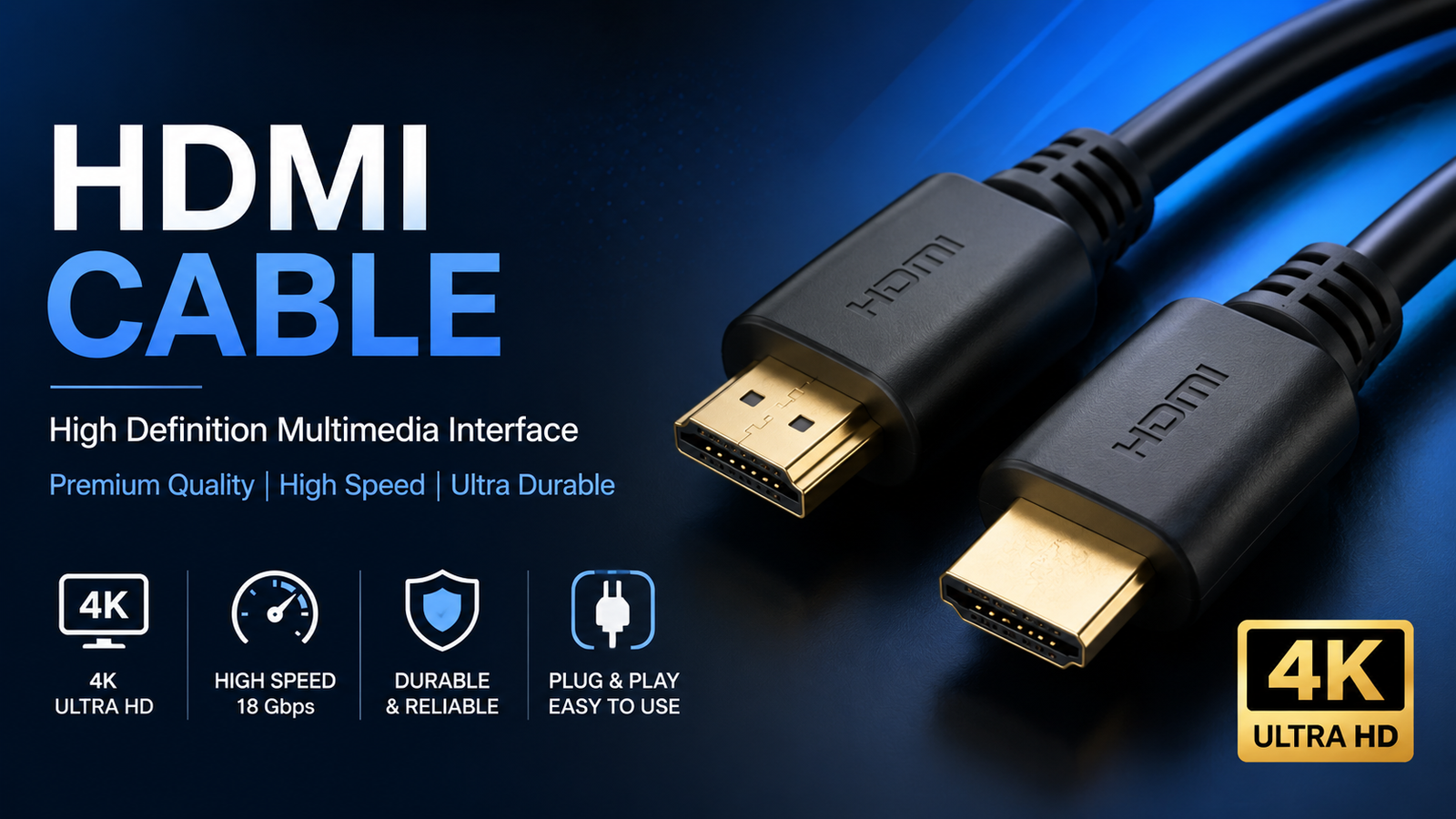
HDMI stands for High-Definition Multimedia Interface. It is a digital cable that transmits both high-quality video and audio between compatible devices without requiring separate audio cables.
Before HDMI became the standard, many devices relied on multiple cables to carry video and sound separately. HDMI simplified this process by combining everything into one cable, making installations cleaner and easier.
Today, HDMI is used in almost every modern entertainment and computing device, including televisions, gaming consoles, laptops, desktop computers, Blu-ray players, projectors, streaming devices, and computer monitors.
How Does an HDMI Cable Work?
Unlike older analog cables, HDMI transfers digital data without converting the signal. This allows devices to communicate efficiently while maintaining excellent image and sound quality.
An HDMI connection carries:
- High-definition video
- Multi-channel digital audio
- Device control information
- Copy protection data (HDCP)
- Device compatibility information
When two devices are connected, they automatically identify each other’s capabilities, such as supported resolution, refresh rate, and audio format, ensuring the best possible output.
Why HDMI Is the Industry Standard
HDMI has become the preferred connection because it offers several advantages:
- One cable carries both audio and video.
- Supports resolutions from Full HD to 8K.
- Compatible with thousands of devices.
- Easy plug-and-play installation.
- Supports advanced audio technologies like Dolby Atmos and DTS:X.
- Reduces cable clutter in home entertainment systems.
For example, connecting a laptop to a television requires only one HDMI cable to display the screen and play audio through the TV speakers.
Common Uses of an HDMI Cable
The versatility of HDMI makes it suitable for a wide range of applications.
Use of HDMI Cable in TV
The most common Use of HDMI cable in TV is connecting external devices such as streaming sticks, gaming consoles, Blu-ray players, cable boxes, and soundbars. HDMI provides excellent picture clarity and digital sound quality while eliminating the need for multiple cables.
HDMI Cable for TV
Choosing the right HDMI Cable for TV depends on your television’s capabilities. A Full HD TV generally works well with a High-Speed HDMI cable, while a 4K or 8K television benefits from Premium or Ultra High-Speed HDMI cables that support higher bandwidth and advanced features like HDR and eARC.
HDMI Cable Types for Monitors
Many computer displays support HDMI connectivity. Different HDMI cable types for monitors allow users to connect laptops, desktop PCs, docking stations, and gaming systems to external displays.
Professionals often use HDMI for presentations, while gamers rely on HDMI 2.1 cables for higher refresh rates and smoother gameplay.
Types of HDMI Cables
Understanding HDMI cable categories helps you select the right cable without overspending.
Standard HDMI Cable
A Standard HDMI cable supports resolutions up to 1080i and is suitable for older televisions and basic media devices. While still functional for some legacy equipment, it is generally not recommended for modern 4K content.
High-Speed HDMI Cable
High-Speed HDMI cables support Full HD and many 4K applications at lower refresh rates. They are suitable for most home users who stream movies, connect laptops, or use Blu-ray players.
Premium High-Speed HDMI Cable
Premium High-Speed cables support 4K resolution at 60Hz with HDR content. They are ideal for modern televisions, advanced gaming systems, and high-quality streaming devices.
Ultra High-Speed HDMI Cable
Ultra High-Speed HDMI cables support HDMI 2.1 features, including 8K resolution, 4K at 120Hz, Variable Refresh Rate (VRR), Auto Low Latency Mode (ALLM), and Enhanced Audio Return Channel (eARC). These cables are recommended for next-generation gaming consoles and premium home theater setups.
HDMI Cable Types Chart
| HDMI Cable Type | Maximum Resolution | Best Use |
| Standard HDMI | 1080i | Older TVs and DVD players |
| High-Speed HDMI | 1080p to 4K | Everyday entertainment |
| Premium High-Speed HDMI | 4K HDR | Modern TVs and streaming |
| Ultra High-Speed HDMI | 8K and 4K 120Hz | Gaming and home theaters |
HDMI Cable Versions Explained
Many people confuse cable categories with HDMI cable versions, but they are different. HDMI versions describe the capabilities of the HDMI specification, while cable categories determine whether a cable can support those capabilities.
HDMI 1.4
HDMI 1.4 introduced support for 4K resolution at lower frame rates, Ethernet over HDMI, and Audio Return Channel (ARC). It became popular with early Ultra HD televisions.
HDMI 2.0
HDMI 2.0 significantly increased bandwidth, allowing smoother 4K playback at 60Hz. It also improved support for HDR content and expanded audio capabilities, making it suitable for modern entertainment systems.
HDMI 2.1
HDMI 2.1 represents a major improvement over previous standards. It increases the maximum bandwidth to 48 Gbps, making it capable of handling 4K resolution at 120Hz and 8K resolution at 60Hz. It also introduces features designed for gamers and home theater enthusiasts, including Variable Refresh Rate (VRR), Auto Low Latency Mode (ALLM), Quick Frame Transport (QFT), and Enhanced Audio Return Channel (eARC). If you own a PlayStation 5, Xbox Series X, or a high-end gaming PC, an Ultra High-Speed HDMI cable is the best choice to unlock these features.
HDMI 2.1a
HDMI 2.1a builds on HDMI 2.1 by adding Source-Based Tone Mapping (SBTM), which improves HDR performance in supported devices. While not every TV or monitor currently supports this feature, it helps deliver a better HDR experience as compatible hardware becomes more common.
HDMI Connector Types
Although most people use the standard HDMI connector, there are several connector types designed for different devices.
Standard HDMI Type A
The Standard HDMI cable Type A connector is the most common version found on televisions, monitors, gaming consoles, laptops, Blu-ray players, and streaming devices. It is the connector most people think of when they hear the term “HDMI cable.”
Mini HDMI (Type C)
Mini HDMI connectors are smaller than Type A and are commonly found on DSLR cameras, tablets, and some portable devices.
Micro HDMI (Type D)
Micro HDMI is even smaller and is typically used in compact cameras, action cameras, and certain mobile devices.
Type E
Type E connectors are designed for automotive applications. They include a locking mechanism to maintain a secure connection in moving vehicles.
Are All HDMI Cables the Same Size?
One of the most common questions is, “Are all HDMI cables the same size?”
The answer is no.
While the most common connector is Standard HDMI Type A, HDMI cables are available with different connector sizes depending on the device. You can also find cables with different lengths, ranging from less than one meter to over fifteen meters.
It’s important to choose both the correct connector type and the appropriate cable category based on your devices and performance needs.
How to Connect HDMI Cable to TV
If you’re wondering How to connect HDMI cable to TV, follow these simple steps:
- Turn off both devices.
- Insert one end of the HDMI cable into the HDMI output on your source device, such as a laptop, gaming console, or streaming device.
- Connect the other end to an available HDMI input on your TV.
- Turn on both devices.
- Use your TV remote to select the correct HDMI input.
- Your device’s display and audio should appear automatically.
If no signal appears, ensure the cable is securely connected and that the correct input source is selected.
Choosing the Right HDMI Cable
The best HDMI cable depends on how you plan to use it.
| Use Case | Recommended HDMI Cable |
| Full HD TV | High-Speed HDMI |
| 4K TV | Premium High-Speed HDMI |
| 8K TV | Ultra High-Speed HDMI |
| PS5 or Xbox Series X | Ultra High-Speed HDMI |
| Computer Monitor | High-Speed or Ultra High-Speed HDMI |
| Home Theater | Ultra High-Speed HDMI |
Instead of buying the most expensive cable available, choose one that matches your device’s specifications. Spending extra on features your equipment cannot use offers little practical benefit.
Common HDMI Problems and Solutions
Even high-quality HDMI cables can occasionally experience issues.
| Problem | Possible Cause | Solution |
| No Signal | Loose connection | Reconnect the cable securely |
| Flickering Screen | Damaged cable | Replace the cable |
| No Audio | Incorrect TV settings | Select the correct audio output |
| Black Screen | Unsupported resolution | Adjust display settings |
| Intermittent Signal | Cable too long | Use an active or optical HDMI cable |
Most connection problems can be resolved by checking cable connections, updating device firmware, or replacing worn cables.
HDMI Myths vs Facts
Many misconceptions surround HDMI cables. Understanding the facts can save money and prevent unnecessary upgrades.
| Myth | Fact |
| Expensive HDMI cables always provide better picture quality. | Certified cables that meet the required specifications deliver the same digital image quality. |
| Every HDMI cable supports 4K. | Only compatible cable categories support reliable 4K performance. |
| Gold-plated connectors improve picture quality. | Gold plating mainly helps resist corrosion and does not enhance image quality. |
| Old HDMI cables work perfectly with every modern feature. | Older cables may not support newer bandwidth requirements like 4K at 120Hz or 8K. |
HDMI Cable Care Tips
Proper care helps extend the life of your HDMI cable.
- Avoid bending the cable sharply.
- Do not pull the cable by its connector.
- Keep connectors clean and free from dust.
- Store cables loosely instead of wrapping them tightly.
- Replace cables showing visible damage or loose connectors.
Simple maintenance helps ensure reliable performance for years.
Conclusion
An HDMI cable may seem like a simple accessory, but choosing the right one can significantly improve your entertainment and productivity experience. Understanding HDMI cable types, connector sizes, and HDMI cable versions helps you make informed purchasing decisions without overspending.
Whether you’re buying an HDMI Cable for TV, connecting a gaming console, setting up dual monitors, or learning How to connect HDMI cable to TV, selecting a certified cable that matches your device’s capabilities is the smartest approach. Rather than focusing on price alone, consider resolution, refresh rate, cable length, and compatibility to ensure dependable performance for years to come.
Frequently Asked Questions
1. What is an HDMI cable used for?
An HDMI cable transfers high-definition digital video and audio between compatible devices such as TVs, monitors, gaming consoles, laptops, projectors, and streaming devices.
2. Which HDMI cable is best for a 4K TV?
A Premium High-Speed HDMI cable is suitable for most 4K TVs, while an Ultra High-Speed HDMI cable is recommended if you want advanced features like 4K at 120Hz or future compatibility.
3. Can I use the same HDMI cable for my TV and monitor?
Yes. Most modern televisions and monitors use the Standard HDMI Type A connector. Just ensure the cable supports the resolution and refresh rate required by your display.
4. Do HDMI cables affect picture quality?
As long as the cable is certified and supports the required bandwidth, picture quality remains the same. The key is using a cable that matches your equipment’s capabilities.
5. How long can an HDMI cable be?
For passive HDMI cables, lengths up to about 5 meters typically provide reliable performance. Longer distances may require active or optical HDMI cables to maintain signal quality.
6. Is HDMI 2.1 necessary?
HDMI 2.1 is recommended for users who want 4K gaming at 120Hz, 8K support, or advanced features such as VRR, ALLM, and eARC. For basic Full HD or standard 4K viewing, older HDMI standards may still be sufficient.
You May Also Read: kayali perfume